

Overview
littledots is a travel app. You plan upcoming trips in it, and you mark places you’ve already been. A map fills up as you go. That’s pretty much it.
It’s built around those two things on purpose. Not a booking engine, not a review site, not a social feed. Just your trips and your map.
Planning a trip
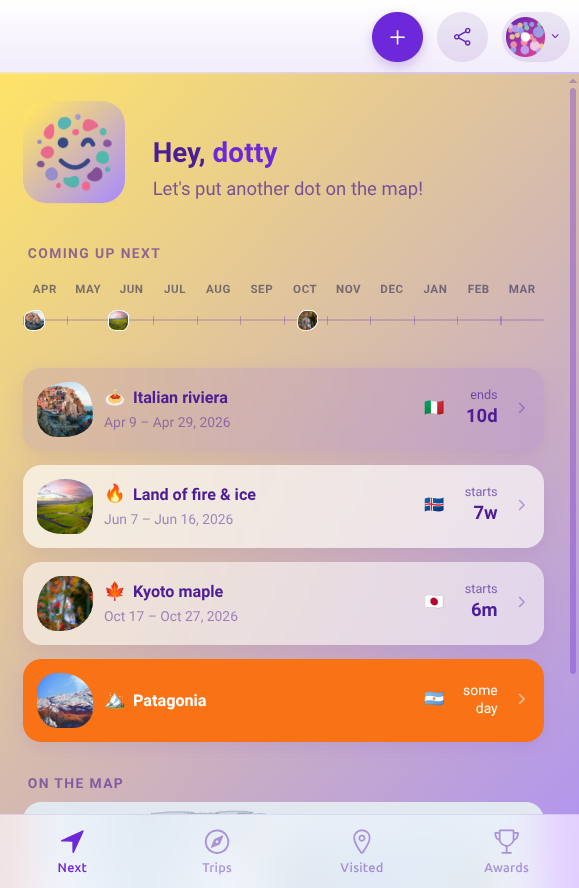
Every trip gets a title, dates, and a place on the map. You can leave it bare (a weekend away, nothing else needed) or go deep with an itinerary: flights, hotels, restaurants, that one bakery someone told you about.
The home screen lists what’s coming up next. Sort order is time. The trip happening tomorrow sits at the top. The trip three months from now sits further down. Nothing clever.
Pinning where you’ve been
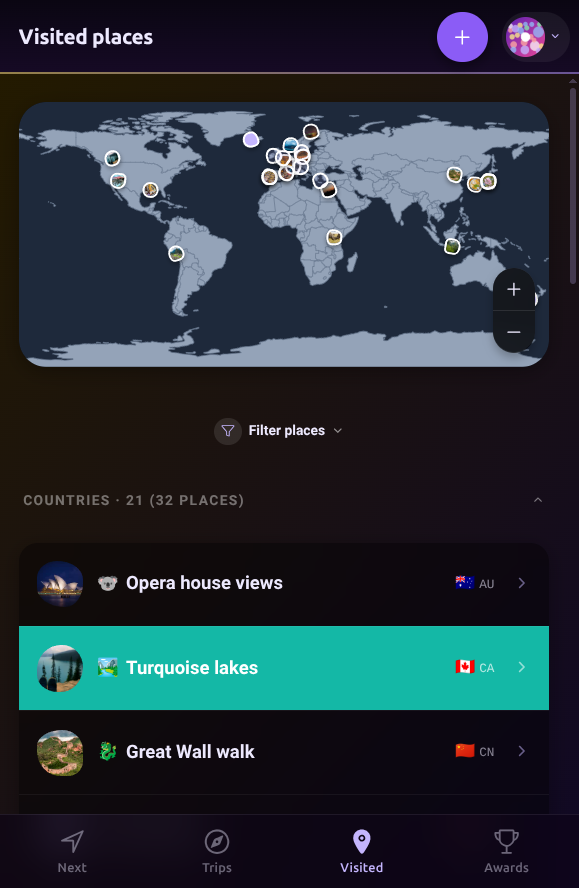
Once a trip is done, pin it to your map. A dot lands. The country fills in.
Not every place you go is a planned trip though. Weekend drives, layovers, a friend’s wedding two towns over. Drop a pin. It counts the same.
Achievement Awards
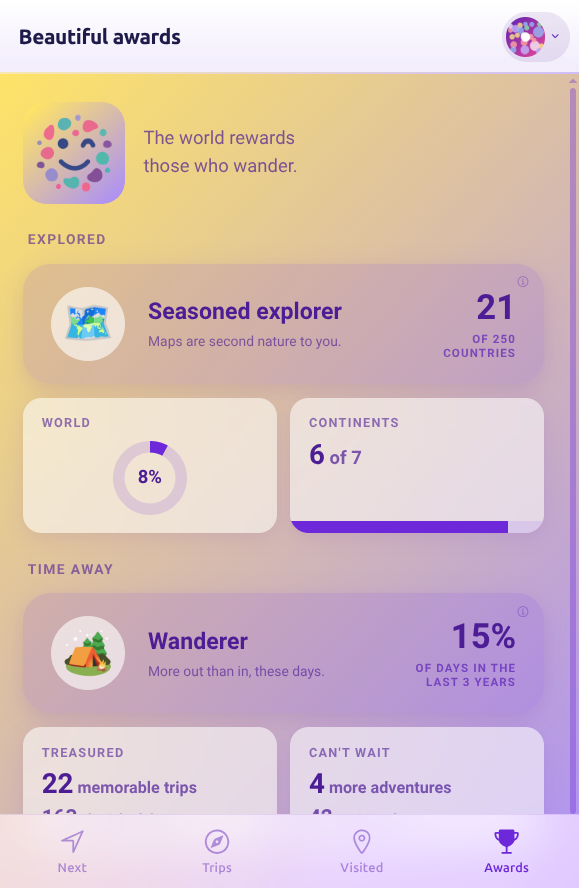
As your map fills in, you collect badges. Countries. Continents. A percentage that ticks up every time you pin a new place.
Open the Awards tab to see what you’ve unlocked and what’s close to tipping. It scratches the “okay but how many countries have I actually been to” itch nicely.
Bring people along
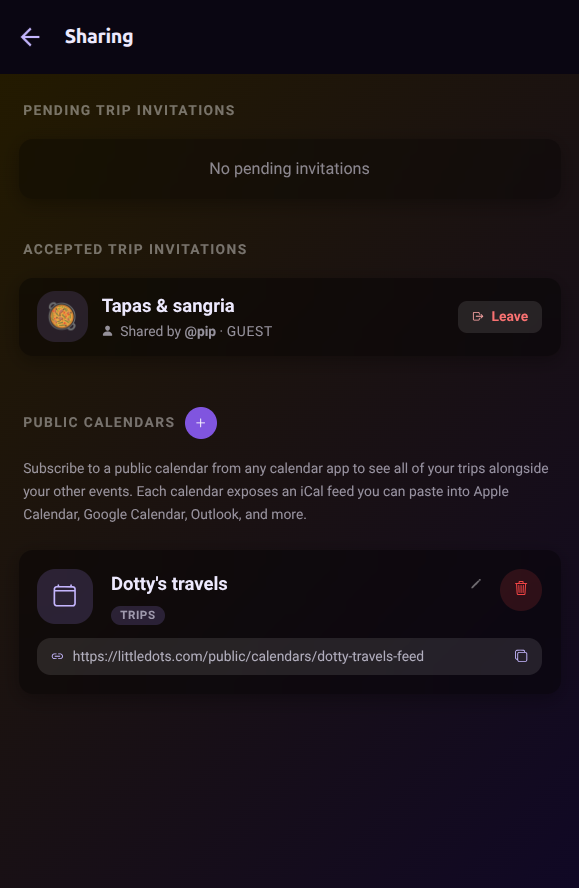
Travel is rarely a solo thing. Invite the people you’re going with as contributors, and they can plan alongside you. Invite the people who just want to follow as guests, and they see the itinerary without being able to change a thing.
Your trips, in your calendar
Subscribe to all your trips in your calendar app. Work meetings on Tuesday. Dentist on Thursday. Lisbon in three weeks. Kyoto in November. The fun stuff sitting in your week right next to everything else, making you look forward to it.
Start small
Your first dot is the easiest. Pick a place you’ve already been and pin it. Watch the map update. That’s the whole product, in one tap.
Then do it again. And again. A little dot for every place you’ve been, and every one you’re planning next.


